Callbacks in JavaScript: Why They Exist
Callbacks are one of the most fundamental concepts in JavaScript. Before jumping into async/await or promises, it’s important to understand why callbacks exist in the first place.
Let’s build this step by step—from simple functions to real-world async use.
Functions Are Values in JavaScript
In JavaScript, functions are first-class citizens.
This means:
You can store them in variables
Pass them as arguments
Return them from other functions
Example:
function greet() {
  console.log("Hello!");
}

function execute(fn) {
  fn(); // calling the function passed
}

execute(greet);
Here, greet is passed as a value.
What Is a Callback Function?
A callback is simply:
A function passed into another function to be executed later
Simple Example:
function processUser(name, callback) {
  console.log("Processing user:", name);
  callback();
}

function done() {
  console.log("Done processing!");
}

processUser("Aman", done);
done is the callback
Function Calling Flow
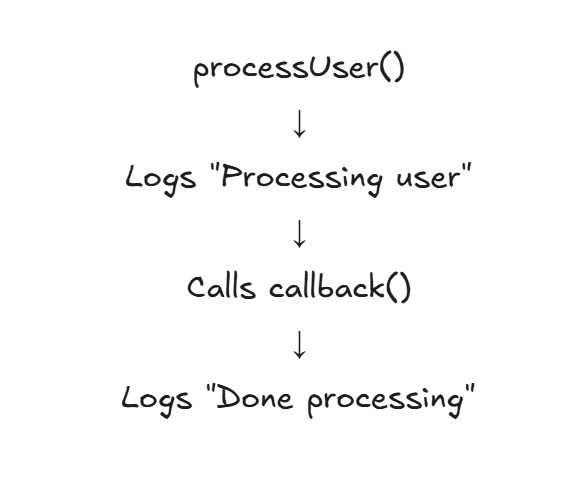
Why Callbacks Are Used
Callbacks are useful when:
You want to customize behavior
You want to delay execution
You need to handle events or async operations
Passing Functions as Arguments (Power of Callbacks)
function calculate(a, b, operation) {
  return operation(a, b);
}

function add(x, y) {
  return x + y;
}

console.log(calculate(2, 3, add)); // 5
The behavior of calculate changes based on the callback
Callbacks in Asynchronous Programming
Now the real reason callbacks became popular:
Handling asynchronous operations
Example: Simulating async task
console.log("Start");

setTimeout(() => {
  console.log("Task done");
}, 2000);

console.log("End");
Output:
Start
End
Task done
The function inside setTimeout is a callback
Why Async Needs Callbacks
JavaScript is:
Single-threaded
Non-blocking
So instead of waiting:
It continues execution
Runs callback when task finishes
Real-World Callback Example
function fetchData(callback) {
  setTimeout(() => {
    const data = { id: 1, name: "Aman" };
    callback(data);
  }, 1000);
}

fetchData((user) => {
  console.log("User:", user);
});
Callback runs after data is ready
Async Callback Flow
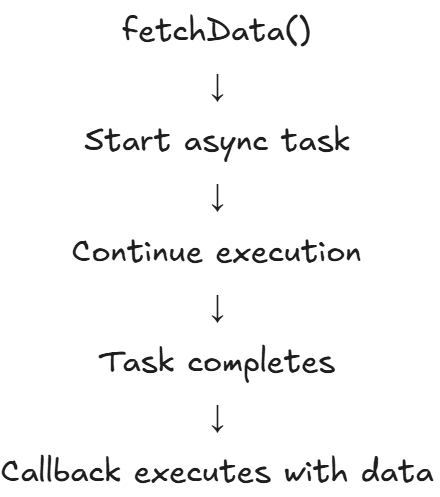
Problem: Callback Nesting (Callback Hell)
Callbacks work well—until they don’t.
When multiple async operations depend on each other:
step1(() => {
  step2(() => {
    step3(() => {
      console.log("All steps done");
    });
  });
});
Issues with Nested Callbacks
Hard to read
Hard to debug
Deep indentation
Error handling becomes messy
Nested Callback Flow
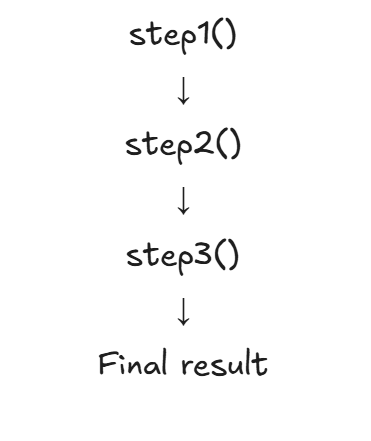
Looks like a pyramid → often called “Callback Hell”
Conceptual Problem
Callbacks mix:
Logic
Flow control
Error handling
This leads to spaghetti code in complex systems
When Callbacks Are Still Useful
Event handling (clicks, listeners)
Simple async tasks
Custom logic injection
Evolution Beyond Callbacks
Because of callback problems:
Promises were introduced
Then async/await
But all of them are built on callback foundations
🏁 Final Thoughts
Callbacks exist because JavaScript needed a way to:
Handle async operations
Pass behavior dynamically
Execute code later
They are simple in concept but powerful in practice.
🧠 Key Takeaways
Functions are values → can be passed around
Callback = function executed later
Essential for async programming
Can lead to nesting issues in complex flows
🚀 Practice
Try writing:
function doTask(callback) {
  // simulate delay
}
👉 Then pass different callbacks to see how behavior changes.
Callbacks are the foundation of asynchronous JavaScript. Master them, and everything else—promises, async/await—becomes much easier to understand.